...
- Log into the NocTel control Panel at noctel.com
- Click on Reports & Billing in the main menu on the left-hand side, to expand the selection.
- Click on Audit Reports in the expanded section.
- Click on the report in the list that will be deleted.
- Click on the link “Remove this audit report” at the bottom of the page.

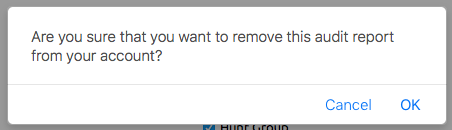
- Click OK in the dialog box to confirm the deletion.
Printable Version - Using Audit Reports .pdf
Related articles
| Content by Label |
|---|
| showLabels | false |
|---|
| max | 5 |
|---|
| spaces | docs |
|---|
| showSpace | false |
|---|
| sort | modified |
|---|
| showSpace | false |
|---|
| reverse | true |
|---|
| type | page |
|---|
| cql | label in ("audit","reports") and type = "page" and space = "docs" |
|---|
| labels | Audit Reports |
|---|
|