If you have more than one subscription, you can switch between your different accounts in the portal by following the steps below.
Step-by-step guide
- Log in to the Fiber Portal at https://customer.noctelfiber.com/
- Click the Gear icon
 in the top right of the portal home page.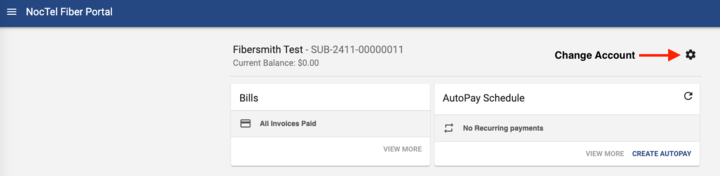
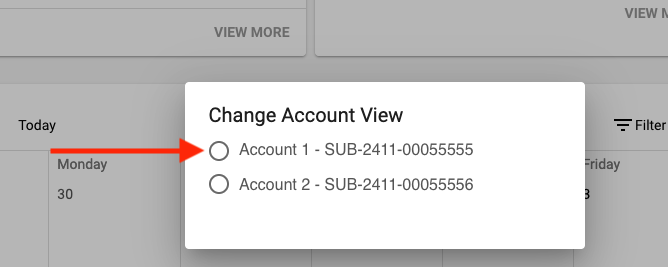
- Click the account you want to switch to in the pop-up list. The page will reload to the selected account.
Related articles